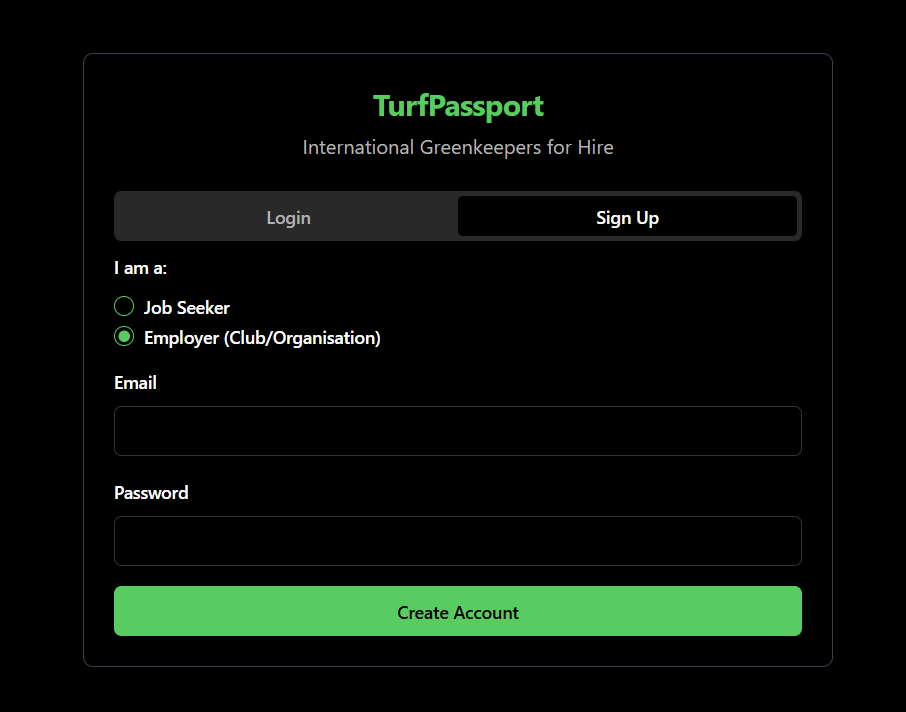
Enter your email and make a password, then click “Create Account”.
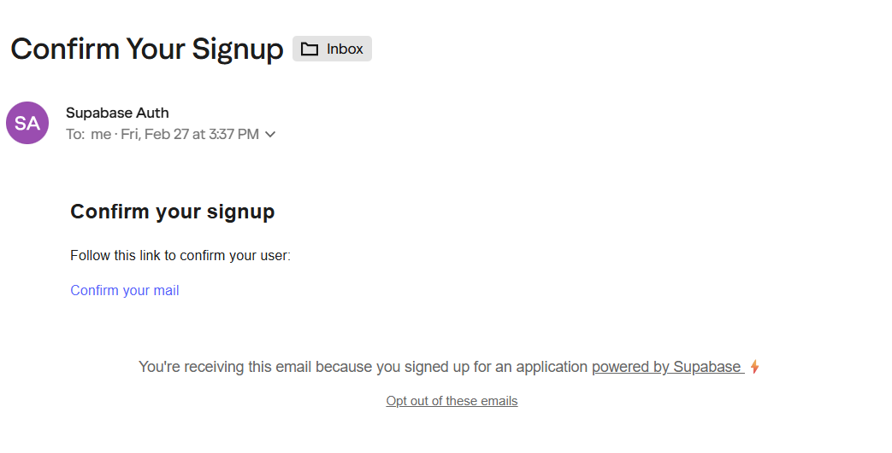
2. Confirm Signup
You’ll receive an email from noreply@mail.app.supabase.io. Open the email and click “Confirm your mail” to complete signup.
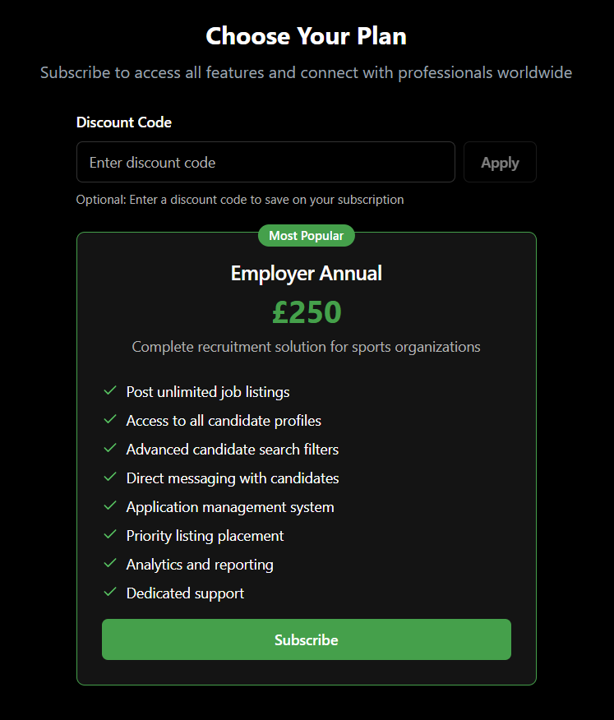
3. Subscribe
The link will take you back to the TurfPassport website. Scroll down to click “subscribe”. Subscriptions cost £250/year. Enter your card details and click “Pay and Subscribe”.
4. Edit Your Profile
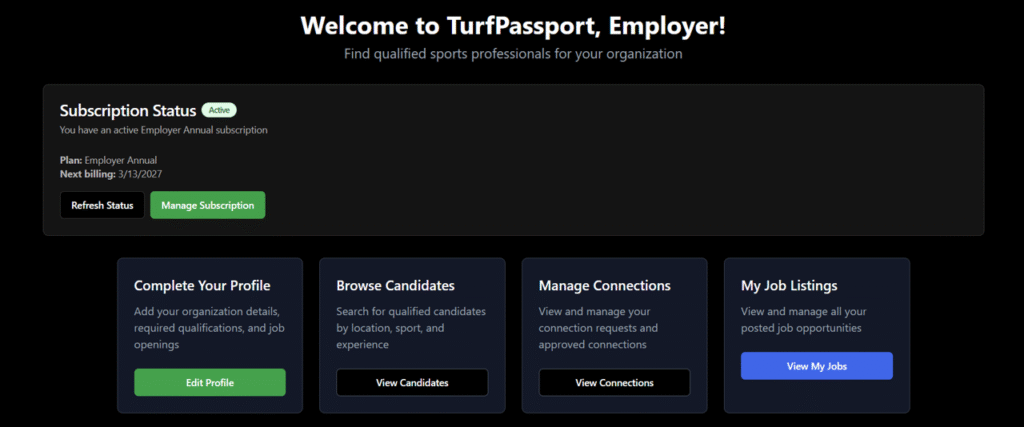
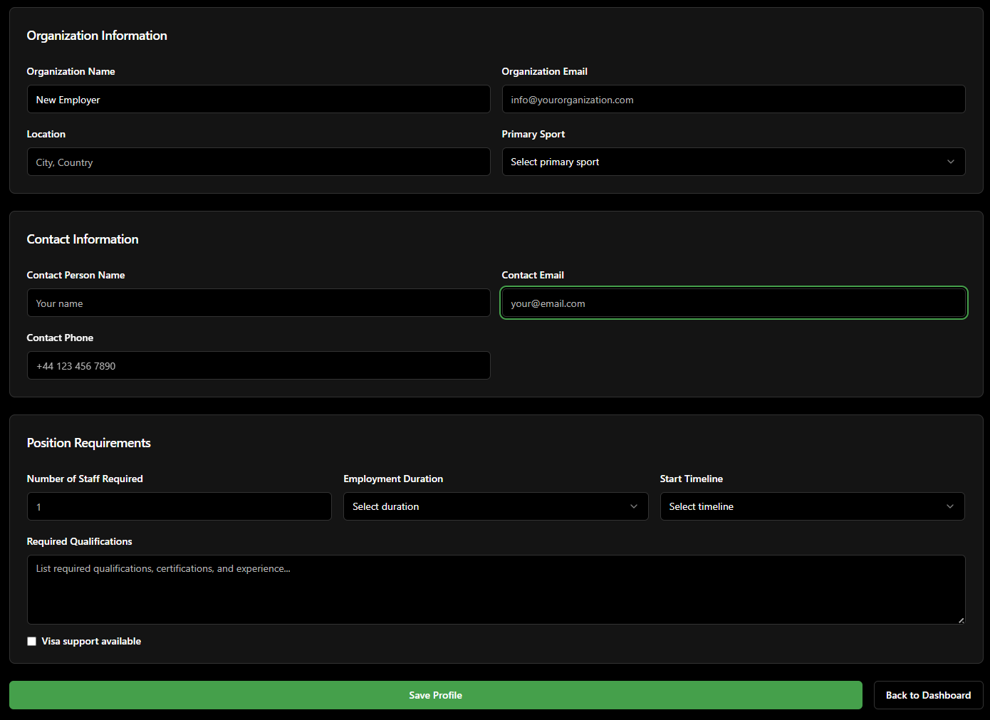
After subscribing, you’ll be taken back to the main dashboard. Click “Edit Profile” and fill out your personal information.
You’ll be asked to enter your organization’s name, location, primary sport, and contact information. You should also provide information on your position requirements, including the number of staff you’re looking for, the employment duration, and the start timeline.
Once you’ve filled in the information boxes, click “Save Profile”, then “Back to Dashboard”.
5. Post a Job Listing
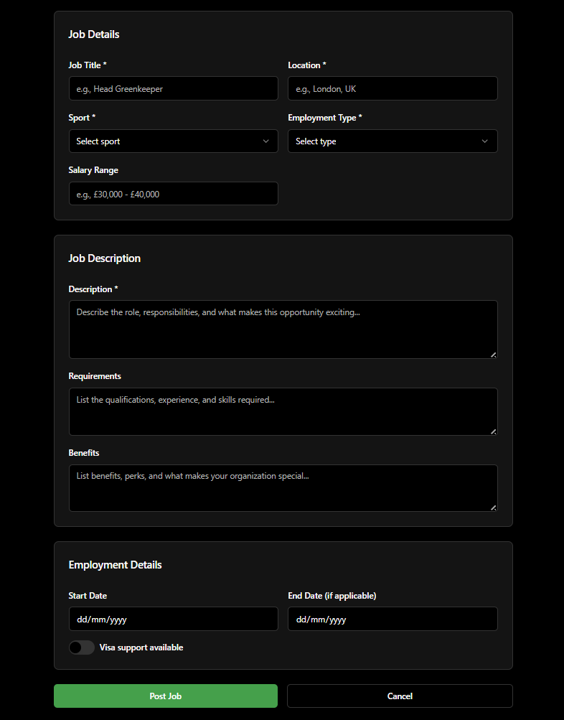
On the main dashboard, click “Post a Job”.
You’ll be taken to a form field that asks for details including the job title, location, sport, employment type, salary range, and start and end date (if applicable). Enter a job description and any applicable job requirements and benefits.
Once you’ve entered the information, click “post job”. This will post the job instantly on the platform.
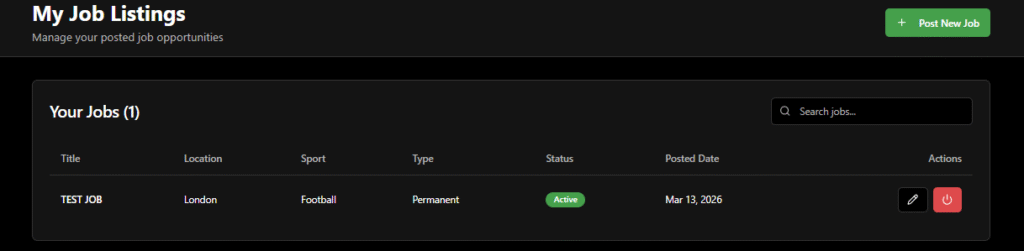
You can view your job listings by clicking “My Job Listings” in the dashboard.
Here, you can edit your active listings by clicking the pen icon on the right-hand side. You can also deactivate listings once you have filled a position by clicking the red button next to the pen icon.
You should also see your job listing on the “Browse All Jobs” page, which shows all job listings from you and other employers.
Here, you can see some basic details about the job, as well as the listing date and the number of applicants.
6. Browse Candidates
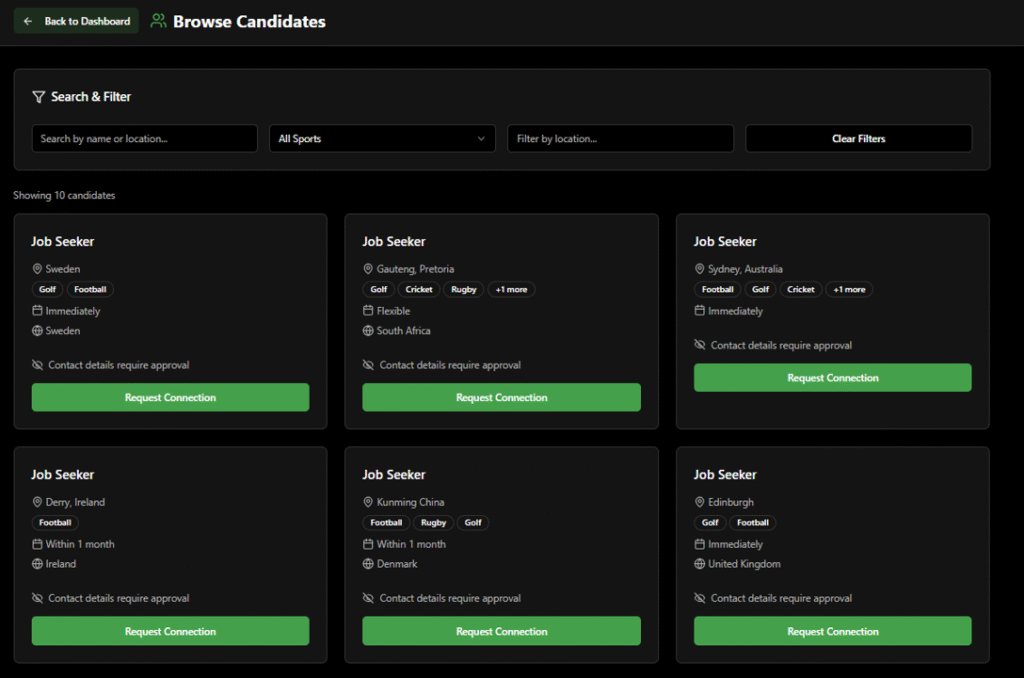
On the dashboard, you can also “Browse Candidates”.
This allows you to view the candidates currently looking for work on TurfPassport. This feature is available even if you haven’t posted a job.
You can filter by name, location, and sport. Scroll down the page to view them all.
If you’re interested in contacting a candidate, you can click “Request Connection”. This will send a connection request for the candidate to approve. Once they approve, you’ll be able to connect with them directly.